
Appearance
Hatstore
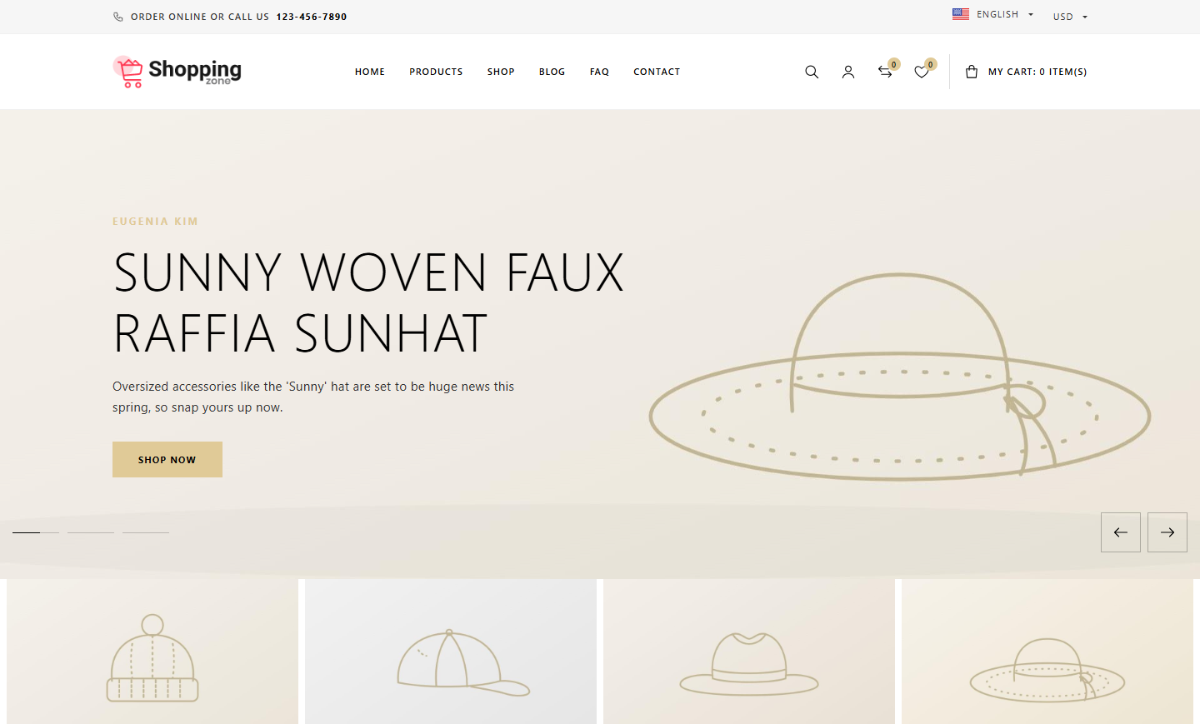
Hatstore is a storefront theme for caps and hats. It uses the Montserrat font, a black and white palette with a sand-gold accent (#E0CA97), square bordered product cards and large uppercase titles.
Features
- Header: a light top bar ("Order online or call us" and your hotline), the logo on the left or centered, a centered menu and a "My cart: N item(s)" counter. It can be transparent over the hero slider.
- Mega menu columns: a main-menu item whose children have their own children opens as a full-width panel with columns.
- Product cards: square bordered image box, "New" and "-x%" badges, buy button and icons under the price, optional quick view.
- Product listings (shop, category, brand, tag, collection, search): a filters panel and a sort menu.
- Footer: dark, with an "About our company" column and widget columns.
- 11 shortcodes to build pages: hero slider, image tiles, promo banners, brand logos, product showcase and more. See Shortcodes.
- Sample homepage that you can paste into a page and edit.
- RTL support.
Pages the theme doesn't template (product, cart, checkout, account) use the Ecommerce plugin's views, which pick up the theme's colors and fonts.
Requirements
Hatstore is a child of the Base theme, so Base must be installed (it is hidden from the theme list). No plugin is required, but some shortcodes need one:
| Plugin | Used by |
|---|---|
| Ecommerce | product listings, [product-showcase], [category-tiles], [brand-logos] |
| Blog | [latest-news] |
| Newsletter | [newsletter-band] |